Custom Development • AI Automation
Upskill Course
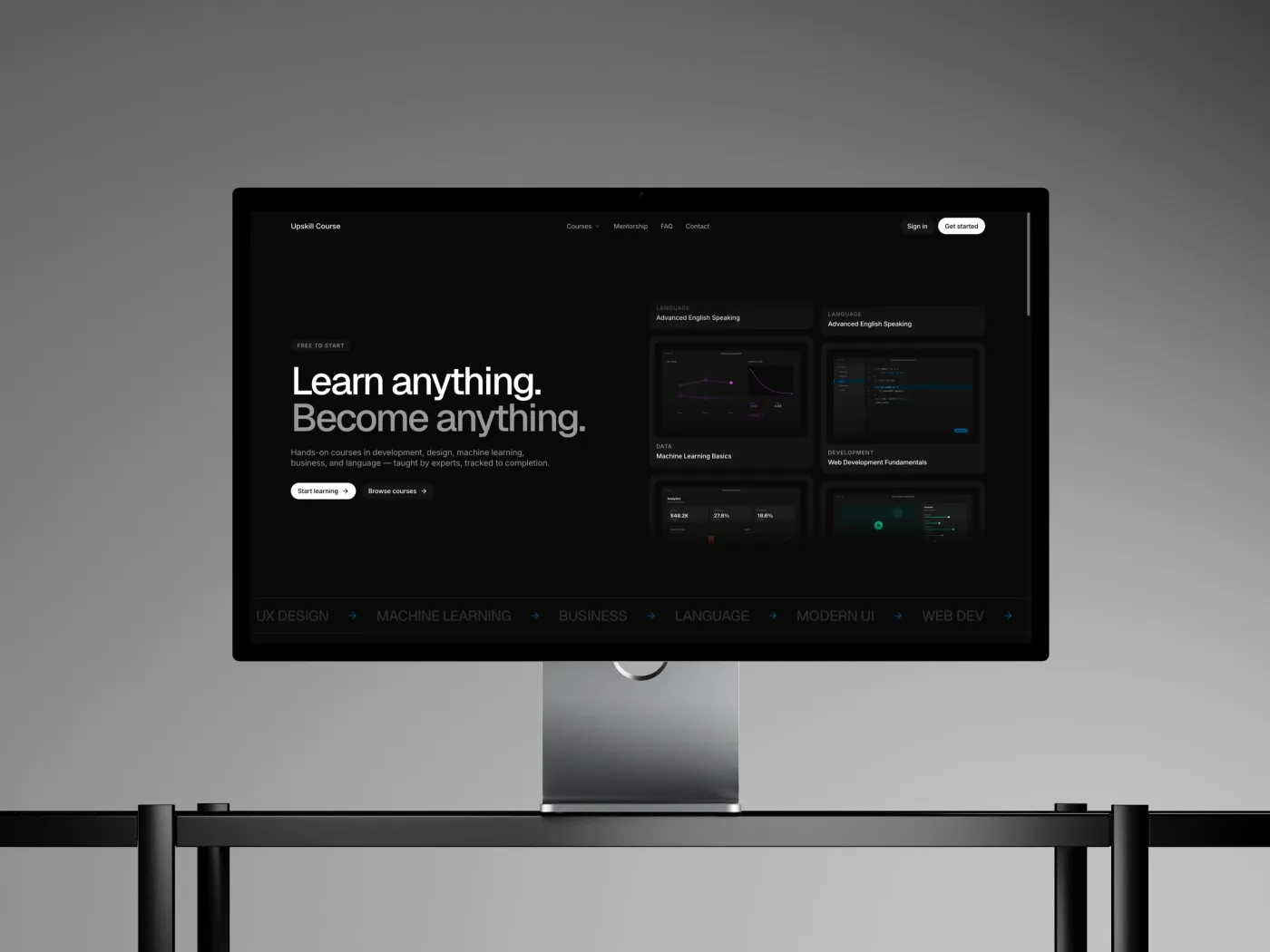
An online learning platform with an AI assistant that is only allowed to say what it can prove — visitors ask about courses, pricing, or certificates and get a cited answer from the platform's own content, or a human. Never a guess.
- Built with
- Next.js
- Services
- Development, AI Automation
Technologies used
- Next.js
- React
- TypeScript
- Tailwind CSS
- Supabase
- Claude API
AI Automation: RAG support chatbot
How the course chatbot works
The little chat bubble on the course website answers visitors' questions instantly — and unlike most AI chatbots, it physically can't invent a price, a refund policy, or a discount. Here's how.
Think of it as a librarian, not a know-it-all: most chatbots answer from memory and sometimes make things up. This one is only allowed to answer by finding the right page in the site's own handbook and pointing at it. If the handbook doesn't have the answer, it says so and fetches a human.
- 01
The site's knowledge becomes a handbook
Everything true about the platform — course descriptions, lesson topics, certificate rules, FAQ answers — is collected into a searchable library of 90+ short passages. This handbook is the only thing the chatbot is allowed to know.
- 02
A doorman screens every question first
Before any AI is involved, a simple checker filters out troublemakers — people trying to trick the bot into breaking its rules — and freeloaders asking things that have nothing to do with courses. There are also polite limits on how many questions one person can fire off, so nobody can run up the bill.
Blocked questions cost nothing - 03
The librarian finds the relevant pages
The question is matched against the handbook to pull out the few passages most likely to contain the answer. If nothing in the handbook is genuinely relevant, the bot doesn't guess — it skips straight to the human handoff.
- 04
AI writes the answer — with receipts
The AI is handed only those passages and must answer from them alone, marking exactly which sentence came from which passage — like footnotes in an essay. House rule: never state a price, deadline, or policy that isn't written word-for-word in the handbook.
- 05
The answer is fact-checked before sending
Here's the part most chatbots skip: a separate checker measures how much of the answer is actually backed by those footnotes. Not enough backing? The answer is thrown away — the visitor never sees it. What does get through arrives with clickable sources, often with a handy “View course” button.
Trust is verified, not assumed - 06
When it doesn't know, a human steps in
Any dead end — no good answer, off-topic question, technical hiccup — gets the same honest reply: “I'm not sure about that — a human will respond shortly.” The conversation lands in a team inbox on the site's dashboard, and when a team member takes over, the bot goes quiet and the human replies in the very same chat window.
Ordinary chatbot
Confident guesses
answers everything confidently — including things it made up. One invented discount or refund promise can cost real money and trust.
This one
Cited, or a human
answers instantly when it truly knows, with sources you can click, and gracefully hands you a human when it doesn't. It has already handled 90+ real visitor conversations on the live site.
AI Automation: AI-augmented content pipeline
How the auto-publisher works
You write a page in Notion — the notes app — and a few minutes later it's a finished, polished page on the website. Here's what happens in between, in plain English.
Think of it like a magazine: you're the writer, and the system is the entire back office — an editor who tidies your draft, a headline writer, a printing press, and a courier — except they're all software, they work in about two minutes, and they never take a day off.
- 01
You write where you already write
Courses and blog posts are written in Notion, like any other note. No website dashboard, no special tools. When a draft is ready, you change one dropdown from “Draft” to “Push to Blog”. That's the entire publishing action.
Your part ends here - 02
A robot checks for new work
Every two minutes, an automated helper peeks at Notion and asks: “anything marked ready to publish?” If not, it goes back to sleep. If yes, it picks up your draft.
Runs every 2 minutes, day and night - 03
The draft gets tidied for the web
Notion pages and web pages speak different languages. The helper translates your headings, lists, and images into website format, and makes permanent copies of your pictures so they never break later.
- 04
AI writes the boring-but-important bits
An AI reads your post and writes three things nobody enjoys writing: the Google search title, the short description that shows under it in search results, and a quick summary shown at the top of the post. If the AI ever fails, the post still publishes — just without those extras.
Costs about a tenth of a cent - 05
It's delivered through a locked door
The finished package is handed to the website through a private entrance that needs a secret password. Only our helper knows it, so nobody else can push content onto the site.
- 06
The page goes live
The website stores the post and it instantly appears — on the blog, styled to match the site, summary box and all. Updating is the same: edit in Notion, flip the dropdown again, and the same page refreshes without changing its web address.
- 07
Notion gets a receipt
The helper writes the result back onto your Notion row: a green “Synced” tag, the date, and a clickable link to the live page. If something went wrong, you get a red tag and a plain-English note saying why. You never need to look anywhere else.
~2 minutes after you flipped the dropdown
Before
15–30 minutes
publishing meant 15–30 minutes of copy-pasting into a website dashboard, plus writing search titles and descriptions by hand — or skipping them.
After
About 2 minutes
writing is the only work. Publishing is one dropdown, search-engine text is handled by AI, and every page gets it — every time, in about two minutes.